
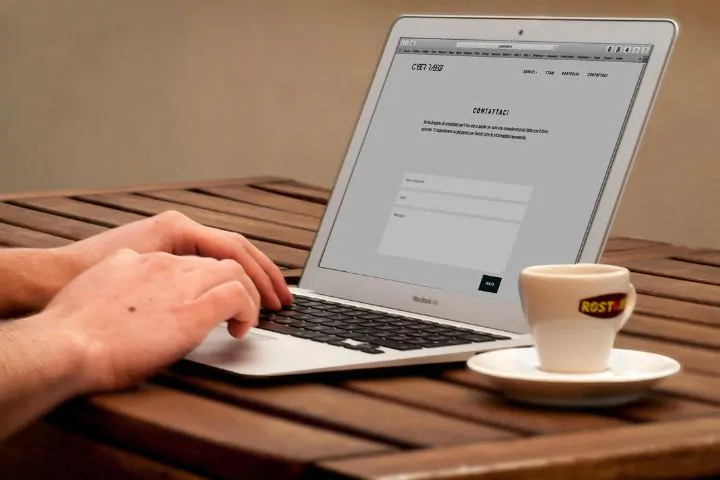
Optimizing contact form: strategies to boost digital business conversions
A contact form is often seen as just a small part of a website, simply there to collect messages from visitors. But for digital businesses, it’s actually one of the main tools for turning visitors into leads—or even customers. The problem is, many businesses still haven’t fully optimized their contact forms, missing out on big conversion opportunities.
Why are contact forms important?
Contact forms act as a direct communication bridge between website visitors and business owners. If someone is interested in your services but can’t find an easy way to reach out, chances are they’ll just leave your site and look elsewhere. As Steve Krug points out in his book Don’t Make Me Think, simplicity and clarity in form design play a big role in whether users decide to take action¹.
Principles for optimizing contact form
To make a contact form truly effective, here are some key things to focus on:
Keep the fields to a minimum
Too many fields can overwhelm users. Stick to what’s really necessary—name, email, and message. Luke Wroblewski notes that the fewer the fields, the higher the chance users will actually fill them out².
Use compelling call-to-actions (CTAs)
Skip generic buttons like “Submit” or “Send.” Go with something more motivating like “Get Your Quote Now” or “Talk to Our Team Today.”
Make sure it’s mobile-friendly
Over 60% of internet users access websites via mobile³, so your form needs to work well on small screens without layout issues.
Add real-time validation and security
Use auto-validation (like checking if an email format is correct) and tools like reCAPTCHA to prevent spam bots. Giving instant feedback when someone inputs something wrong makes the whole process smoother.
Conclusion
A contact form isn’t just a way to “contact us”—it’s a vital part of your digital marketing strategy. With clean design, a strong CTA, and proper integration, your form can turn into one of the most powerful conversion tools on your website.
Looking for a website with an optimized contact form? Get in touch with us now using the form below, or tap the WhatsApp button for a faster response from the SIMPLIFY team.
[vc_row el_class=”text-center”][vc_column][vc_custom_heading text=”Request Quotation” font_container=”tag:h2|text_align:center|color:%23fec20e” google_fonts=”font_family:Open%20Sans%3A300%2C300italic%2Cregular%2Citalic%2C600%2C600italic%2C700%2C700italic%2C800%2C800italic|font_style:400%20regular%3A400%3Anormal”][vc_column_text]
Get an affordable website development quote from SIMPLIFY at the most budget-friendly price.
[/vc_column_text][vc_empty_space][vc_column_text]
[/vc_column_text][vc_empty_space][vc_column_text]
Or contact us via WhatsApp message for a quicker response.
[/vc_column_text][vc_empty_space][vc_btn title=”I’m interested in SIMPLIFY’s affordable website package” style=”classic” color=”success” align=”center” i_align=”right” i_icon_fontawesome=”fab fa-whatsapp” add_icon=”true” link=”url:https%3A%2F%2Fapi.whatsapp.com%2Fsend%3Fphone%3D628998706033%26text%3DI%2527m%2520interested%2520in%2520SIMPLIFY%2527s%2520affordable%2520website%2520package%252C%2520coming%2520from%2520the%2520Website%2520Development%2520Service%2520page.|target:_blank”][/vc_column][/vc_row]
Footnotes
- Steve Krug, Don’t Make Me Think: A Common Sense Approach to Web Usability, 2nd Edition, New Riders, 2005.
- Luke Wroblewski, Web Form Design: Filling in the Blanks, Rosenfeld Media, 2008.
- Google, Think with Google: Mobile Site Design Principles, 2018.